
About the project
In May, my LinkedIn and X feeds had stopped being useful. Most of what I scrolled through was AI posts, ads and promotions, and the posts I actually wanted to see, from people I follow, were buried under them. So I decided to build the fix myself.
 Side Gig
 AI First
- Project Scope
- Product Design, Build, Launch
- Business Model
- B2C
- Timeline
- Jun – Oct 2026
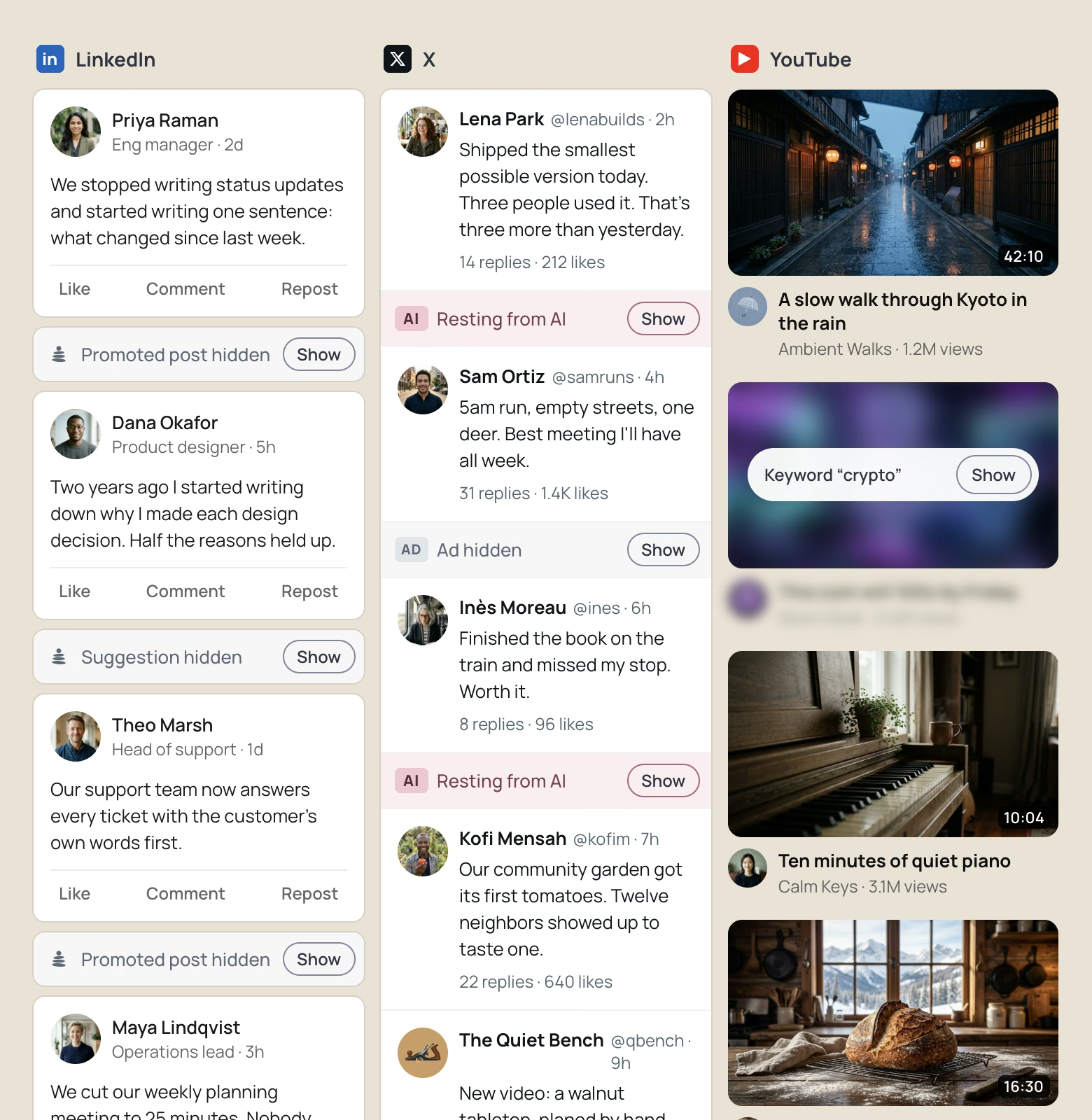
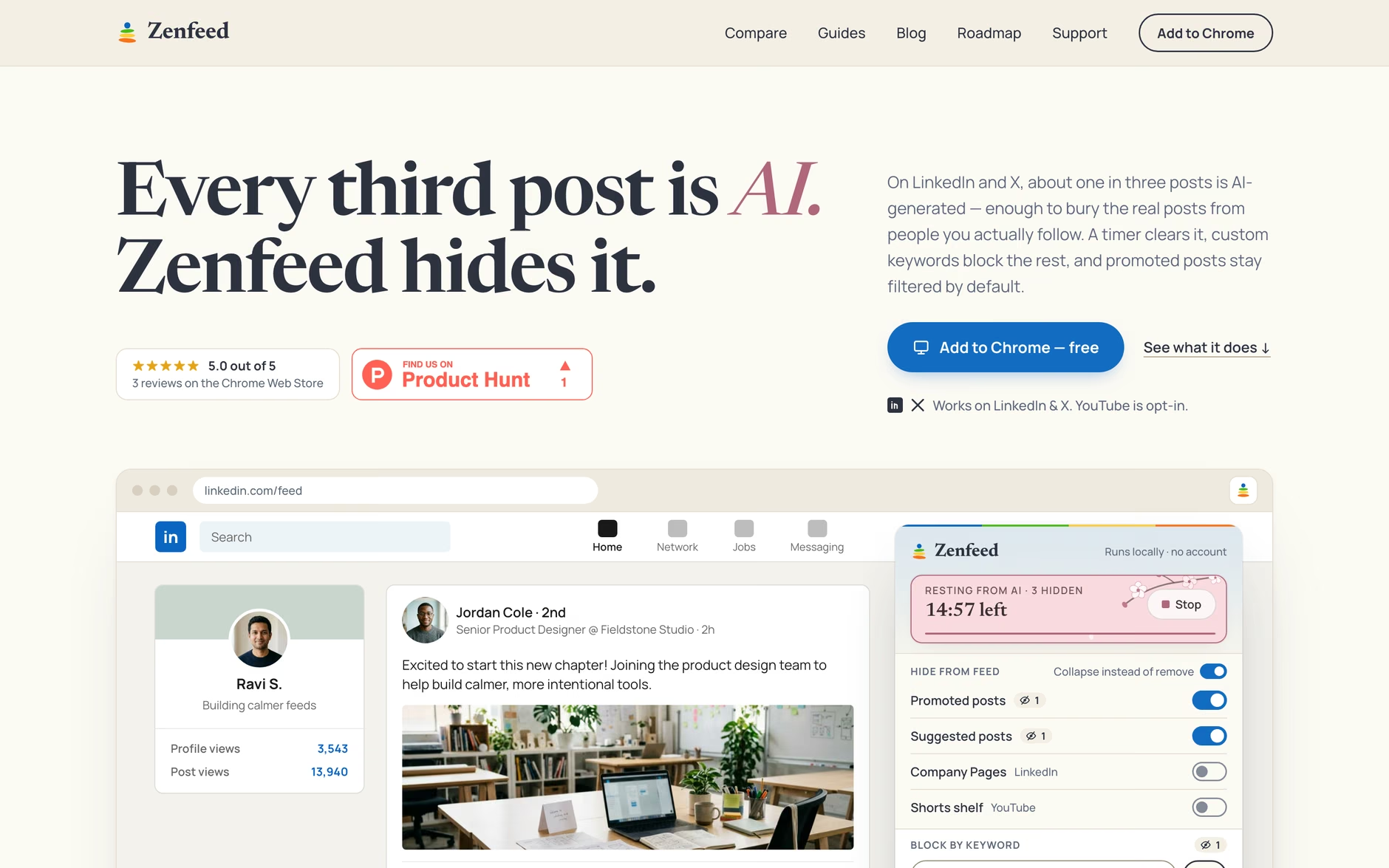
Zenfeed is a free Chrome extension that folds away that noise on LinkedIn, X and YouTube: promoted posts, posts with words you choose to block, and, during a break you set, posts about AI. I designed it, made every product call, and used Claude Code to write the code. Since it launched in July, it has been installed 214 times.
Process
Idea validation
An early version already worked when I stopped to test the idea properly. The verdict was "pursue, with changes". A plain sponsored-post blocker is a crowded space, with half a dozen tools like CleanedIn doing it already. What was missing was calm: a feed you control, not just one with fewer ads.
So the product changed, and so did its name. It started as HidePromo, a name that only described ad blocking and was already wrong once keyword blocking and a break from AI were in. Zenfeed says what it's for.
Process
Launch
I launched on the Chrome Web Store in July with two sites, LinkedIn and X. YouTube came two weeks later, and only as opt-in: adding a required site to a published extension makes Chrome switch it off for every existing user until they approve it again. Asking new YouTube users for permission was a small cost. Losing the people who already trusted it was not.
July
Launch on two sites
LinkedIn and X, with promoted posts, keywords and a timed break from AI
July – August
YouTube, opt-in
A third site, plus Company Page filters and a website with guides and comparisons
October
Redesign
A new popup with a tab per site, a new hidden-post bar and a welcome page
Hidden posts
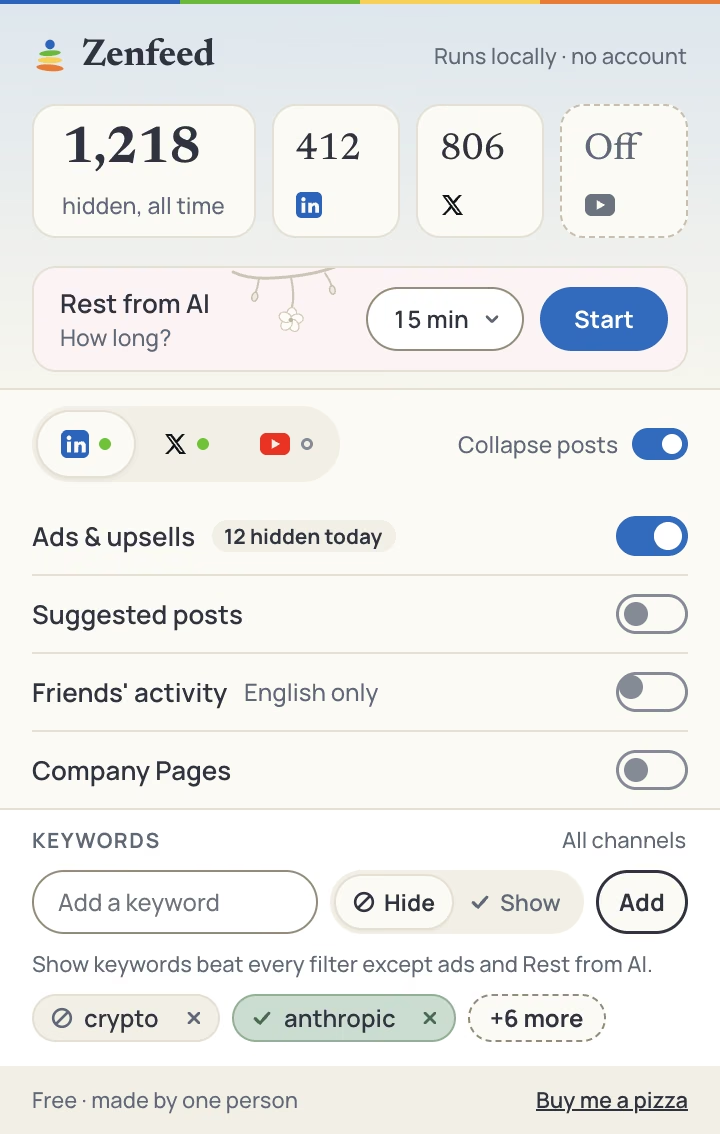
A filter that gets it wrong silently is worse than no filter. So nothing Zenfeed hides disappears. Each hidden post folds into a thin bar that says why it was hidden, with a Show button to bring it back, and a post you restore is never hidden again. On YouTube, the tile blurs in place instead.
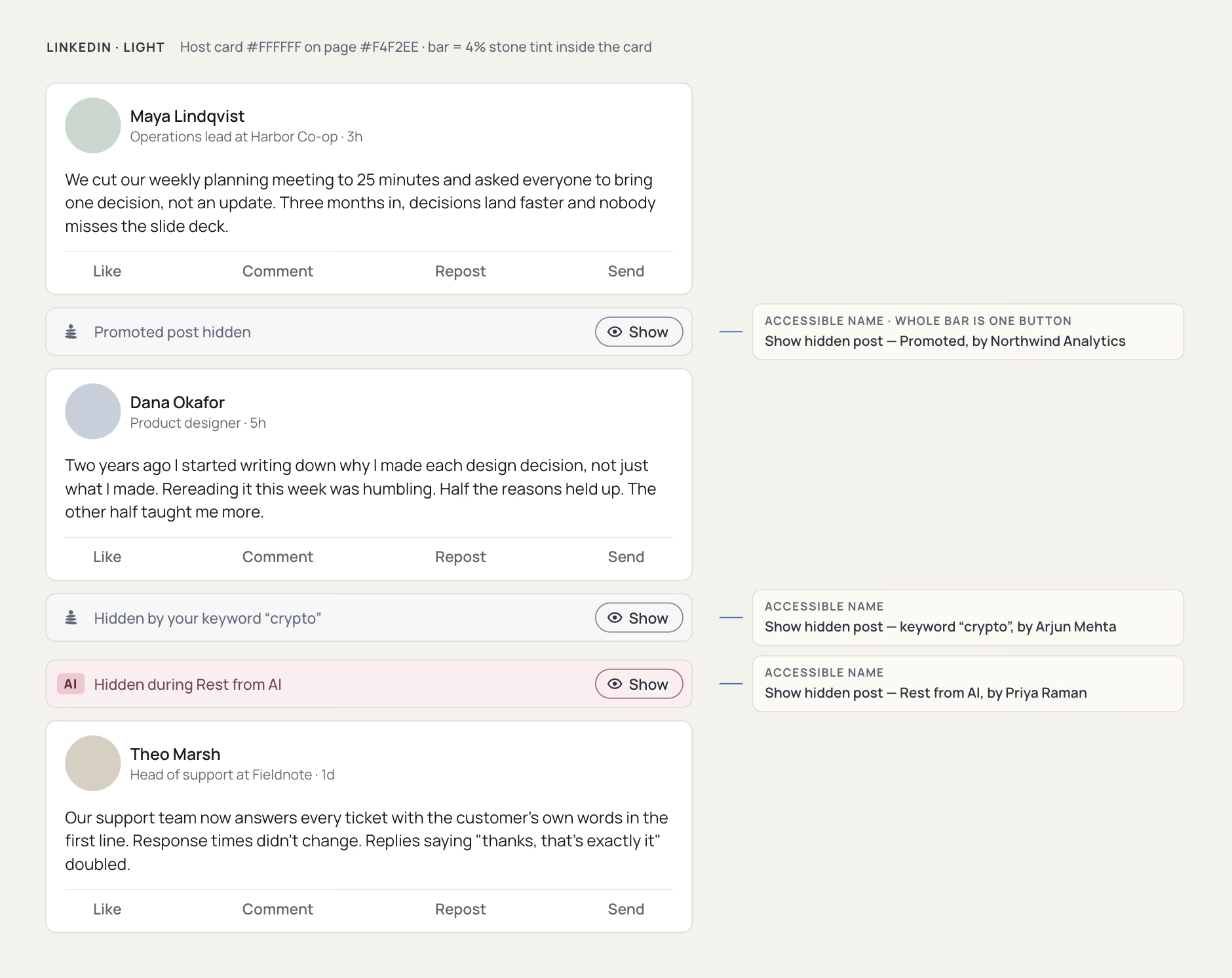
I chose fewer wrong hides over catching everything. Missing a post is a small annoyance; hiding a friend's real update costs trust. So the stricter filters, like suggested posts and Company Pages, start switched off, and you turn them on.
Rest from AI
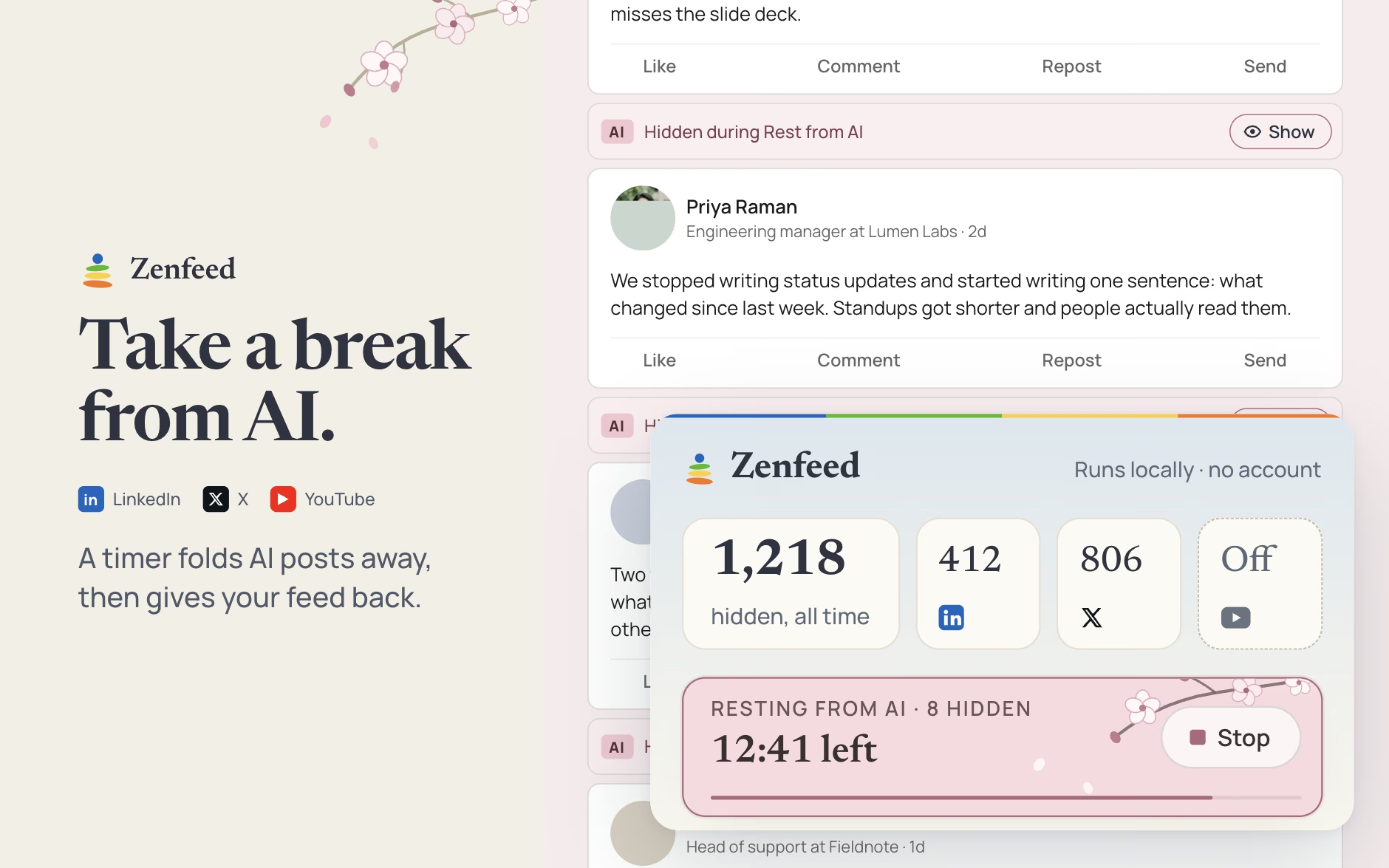
Rest from AI hides posts about AI for as long as you choose: 15 minutes, an hour, then your feed comes back as it was. It works by matching words and phrases, not by reading minds, so it can't be sure enough to hide those posts forever. A timer is honest about that. It also wins over everything else: words you've asked to always see still fold away while you're resting.
The popup
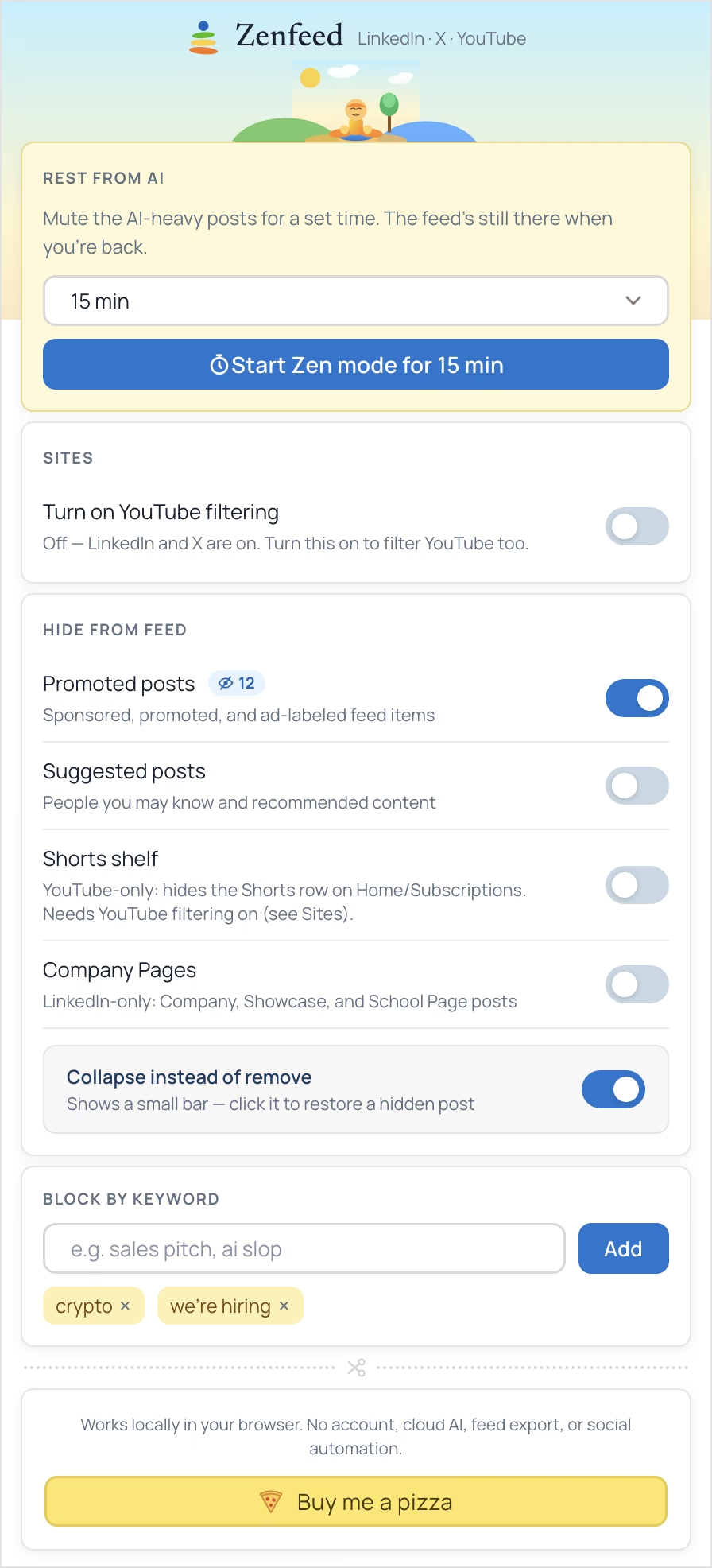
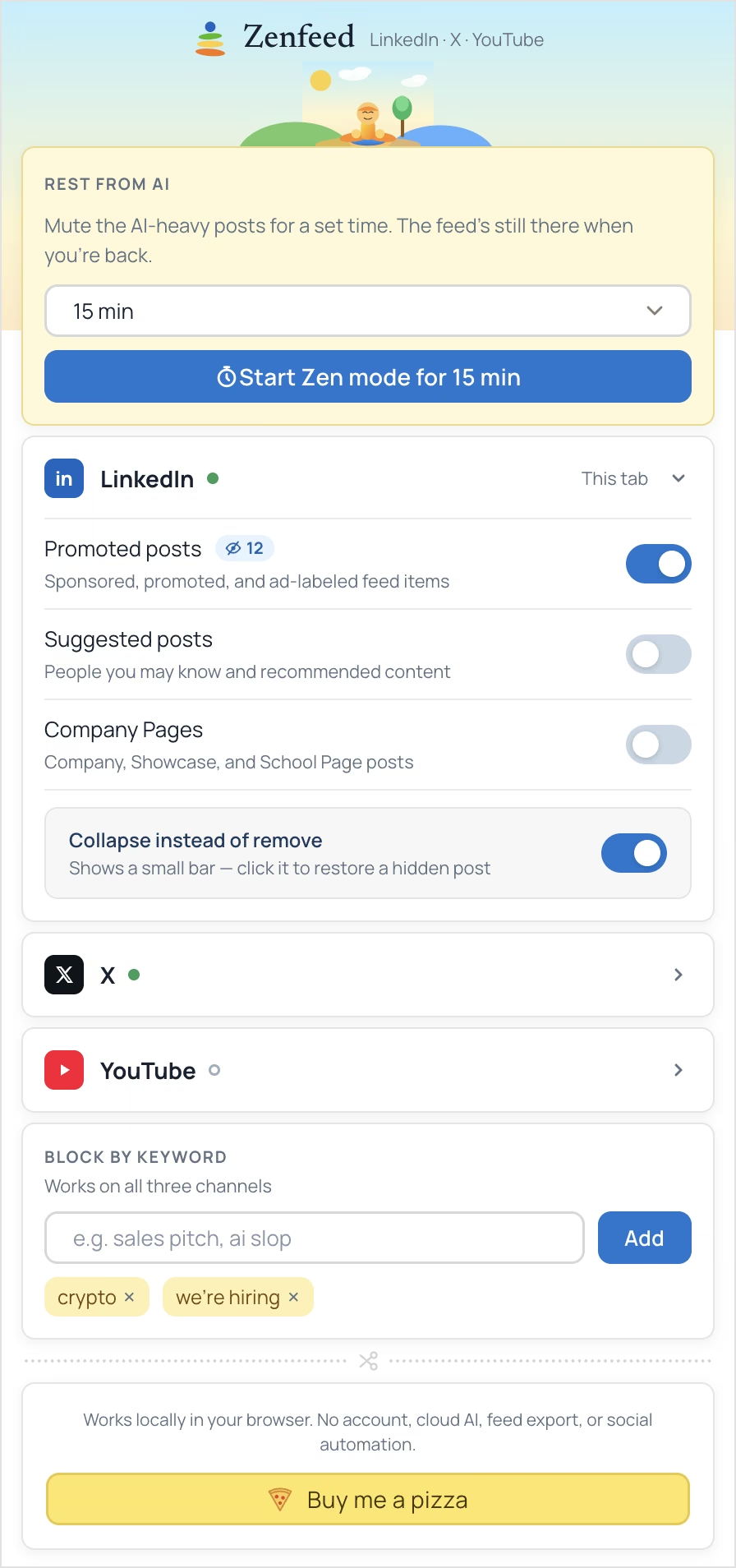
Chrome caps an extension popup at 600px tall, and every new feature wanted a toggle. The first version was one long list. Accordions grouped it by site but still ran long. The final version gives each site a tab, keeps shared controls like keywords outside the tabs, and merges toggles where they do one job. I compared five directions before picking one, and a new toggle only got in if it was genuinely useful.
Privacy
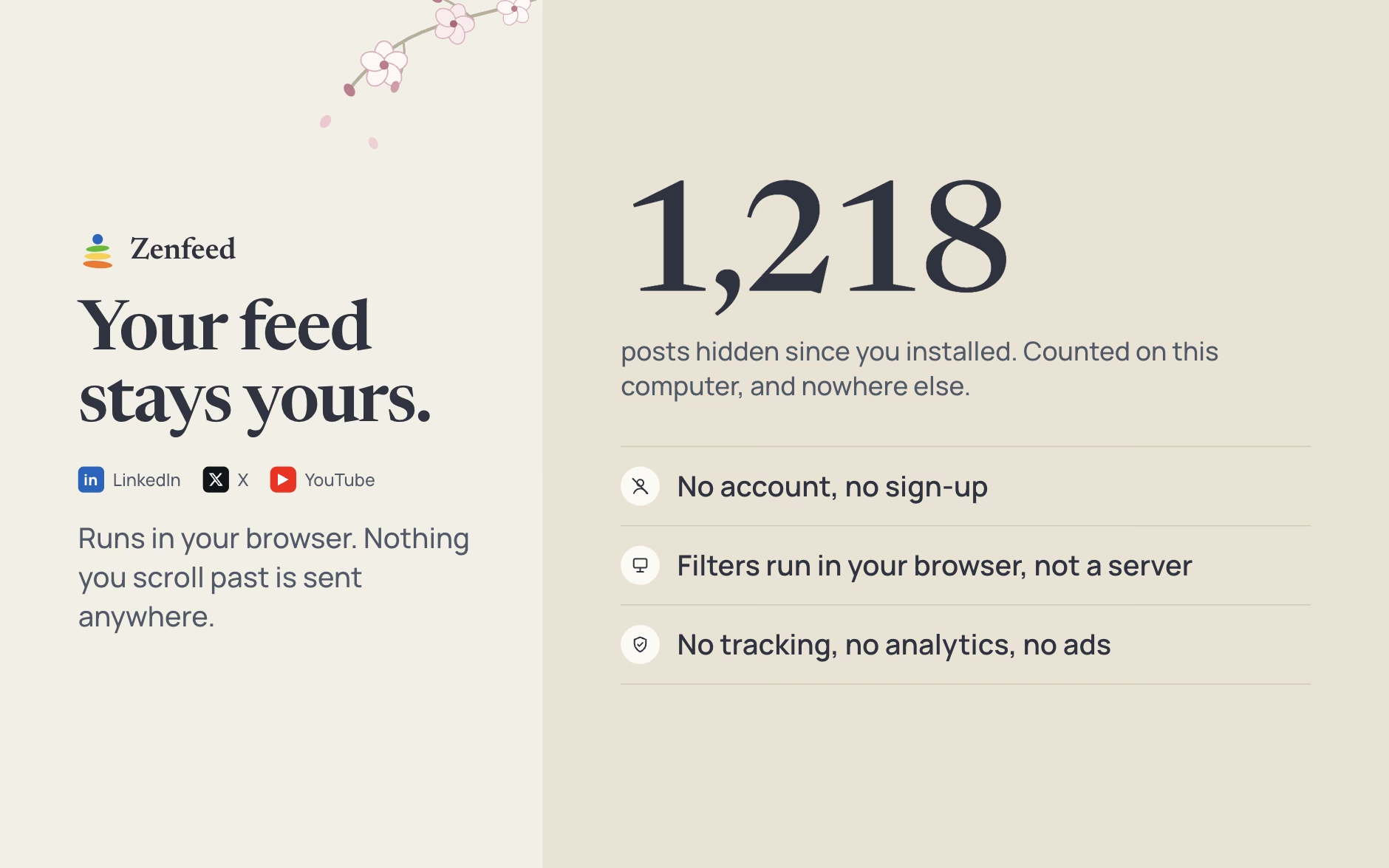
Zenfeed runs entirely in your browser. There's no account, no server, no tracking and no analytics, and nothing you scroll past is sent anywhere. Even the count of hidden posts is kept on your computer. For a tool that reads your feed, that's the only way I'd want to use it myself.
Outcome
Zenfeed is live on the Chrome Web Store and launched on Product Hunt, with zenfeed.org carrying guides, comparisons and a blog. It's free, with a tip link for anyone who wants to buy me a pizza.
214
Installs
From the Chrome Web Store since the July launch
3
Sites
LinkedIn and X on install, YouTube when you allow it
0
Servers
Every filter runs in your browser; nothing is sent anywhere
1
Person
Design, product calls and launch, with Claude Code writing the code
Learnings
- The platform moves under you. Within days of launch, LinkedIn changed how its feed is built and I had to rebuild how Zenfeed finds posts. Anything that sits on top of someone else's product needs testing against the live page, again and again.
- A miss costs less than a wrong hide. People forgive a filter that lets something through. They uninstall one that hides a real post from a friend.
- AI writes the code fast; the decisions are still mine. Claude Code got me from idea to working extension far faster than I could alone, but deciding what to build, what to cut and what "done" means stayed my job.
- Building is the easy half. Shipping features was quicker than getting found: in the first three months, almost every search visit came from people already typing "Zenfeed". Next time I'd plan how people discover it as early as the product itself.